


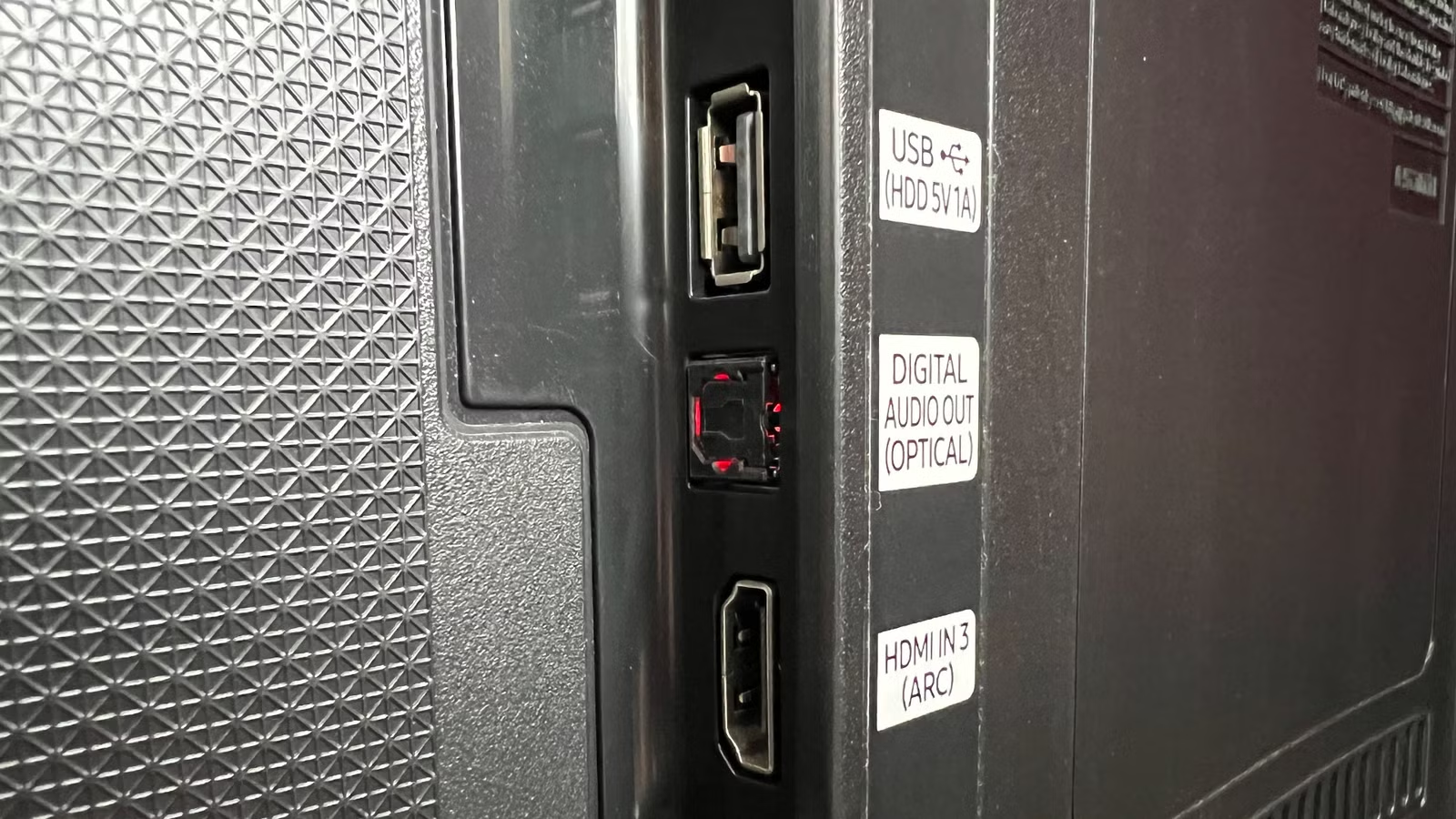
Have you ever noticed the small, trapezoid-shaped optical audio port on the back of a computer, TV, or media receiver and wondered what it does? Although it often goes unused, this port can be surprisingly useful in the right setup. Let’s take a closer look at what optical audio is, how it works, and when you might want to use it.
What Exactly Is Optical Audio?
Most cables used with computers, TVs, speakers, and home entertainment systems transmit signals electrically through conductive wires. This applies to both analog and digital connections, from traditional speaker cables to modern HDMI cables.
Optical audio works differently. Instead of electrical signals, it uses fiber-optic cables and pulses of light to carry digital audio between compatible devices.
This technology was introduced by Toshiba in 1983 and was originally developed for Compact Disc players. That is why optical audio cables are also commonly known as TOSLINK, short for Toshiba Link.
You can check whether a device supports optical audio by looking for a small, distinctive port on the back or side. It may be labeled Optical Audio, TOSLINK, Digital Audio Out (Optical), or something similar.
The port is usually easy to recognize because of its small square or trapezoidal shape. When the device is powered on, you may also notice a faint red light inside the optical port or at the end of a connected TOSLINK cable.
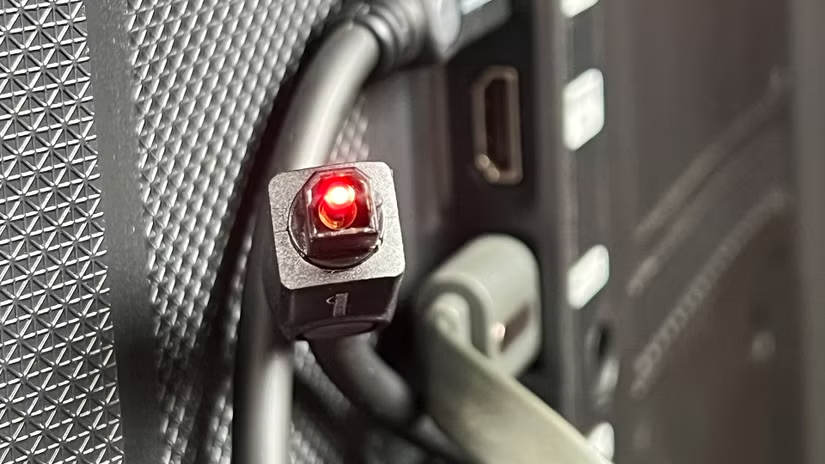
Even though TOSLINK has been around for decades, the technology has improved over time and is still useful today. However, optical audio never became as common as some other connection standards.
When TOSLINK first appeared, its capabilities were more than most home users needed. By the time advanced home theater systems became popular, HDMI had already become the preferred option.
HDMI is more convenient because it can carry both video and audio through a single cable. It also supports newer high-resolution audio formats such as Dolby TrueHD and DTS-HD Master Audio, which standard TOSLINK connections do not support.
The Many Uses of Optical Audio (Even Today)
Although HDMI has largely replaced TOSLINK in modern home entertainment setups, optical audio is still useful in many situations. It may no longer be the first choice for most devices, but it remains a reliable way to carry digital audio.
TOSLINK can handle high-quality multichannel sound and, for many everyday setups, the difference in audio quality compared with HDMI may be difficult to notice.
There is no need to replace HDMI if your current setup works well. However, optical audio can be especially helpful when HDMI is unavailable, incompatible, or causing connection problems.
Here are three common situations where using TOSLINK can still be a smart choice.
Keeping Older Audio Gear in Service
One of the best reasons to use TOSLINK today is to connect older audio equipment to newer devices. If you have a high-quality stereo or AV receiver that lacks HDMI inputs but still includes an optical audio port, TOSLINK can help keep that equipment useful.
Instead of replacing an older receiver that still works perfectly well, you can connect it to compatible TVs, Blu-ray players, game consoles, and other devices that offer optical audio output. This gives older gear a practical way to work with modern entertainment systems.
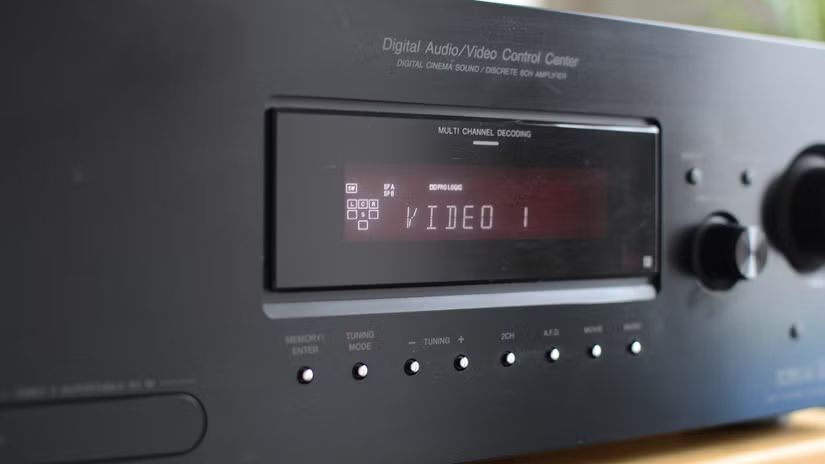
You can send video from a source device, such as a cable box or game console, to your TV through HDMI, then use the TV’s optical audio output to send sound to an older receiver or speaker system.
Since TOSLINK has been around since the early 1980s, many high-quality audio and video receivers made over the past several decades include an optical audio port. This makes TOSLINK a useful option for connecting older sound equipment to newer TVs and media devices.
Connecting a Soundbar to Your TV
Optical audio can also be a useful way to connect a soundbar to your TV, especially in a couple of common situations.
First, your TV or soundbar may not support HDMI ARC (Audio Return Channel). HDMI ARC allows a TV to send audio back to a compatible sound system through an HDMI cable. If either device lacks ARC support, an optical TOSLINK connection can provide a simple alternative.
Second, even when both devices officially support HDMI ARC, you may still run into compatibility problems with certain audio formats, apps, or connected devices. If ARC is unreliable in your setup, switching to optical audio can offer a more stable way to send sound from your TV to the soundbar.
Isolating the Audio
Separating audio from an HDMI connection can sometimes be more complicated than it needs to be. It often requires an HDMI audio extractor, adapters, or other extra hardware, and compatibility can vary depending on the devices involved.
TOSLINK can make this much simpler. If a source device has an optical audio output, you can send the audio directly to a receiver, soundbar, or speaker system without relying on HDMI for sound.
For example, if you want to use a Blu-ray player as a CD player without turning on the TV, you can connect its optical output directly to your audio system.
Even older receivers without digital inputs can still be used with optical audio. In that case, an optical-to-analog converter can turn the TOSLINK signal into a connection the receiver can accept.
Using an Optical-to-Analog Audio Converter
A digital-to-analog audio converter can turn an optical TOSLINK signal into an analog connection, such as a 3.5mm headphone jack or RCA stereo output. This makes it possible to connect modern digital audio sources to older equipment that only supports analog inputs.
For example, you can use a converter to connect your TV’s optical output to wireless headphone transmitters, older stereo receivers, legacy whole-home audio systems, or other analog audio devices.
It can also be useful if you want to use analog headphones with your TV without muting the speakers. Some TVs disable speaker output when headphones are plugged directly into the headphone jack. By using the optical output with a digital-to-analog converter, you may be able to send audio to headphones separately while keeping the TV or external speakers available at the same time.
Eliminating Ground Loop Hum
Ground loop hum is a common audio problem that can occur when connected devices have more than one path to electrical ground. In home theater or audio setups, this often results in an annoying humming or buzzing sound coming from the speakers.
One possible cause is improperly grounded cable TV equipment or other devices connected to different grounding points. When those grounding points are not at the same electrical potential, interference can travel through the audio system.
TOSLINK can help solve this problem because optical cables transmit sound using light rather than electricity. Since there is no conductive electrical connection between the two devices, the optical cable can isolate them and prevent ground loop interference from reaching your speakers.
Although HDMI has become the preferred option for most modern setups because it carries both audio and video with greater bandwidth, TOSLINK still has an important role. In situations involving older equipment, connection problems, or unwanted electrical noise, an optical audio cable can still be an extremely useful solution.
Frequently Asked Questions About Optical Audio
Here are answers to some common questions about TOSLINK, optical audio cables, supported formats, and connection issues.
Are TOSLINK, Optical Audio, and Digital Audio the Same?
TOSLINK is the name commonly used for the optical audio standard originally introduced by Toshiba. Labels such as Optical Audio, Digital Audio, and Digital Audio (Optical) usually refer to the same type of digital optical connection.
Are There Different Types of Optical Audio Cables?
Standard TOSLINK connections have remained largely unchanged for decades, meaning an older optical cable can generally work with modern compatible equipment.
There is also a smaller version called Mini-TOSLINK. It uses the same optical technology but fits into a 3.5mm-style connector. Mini-TOSLINK was found on some older computers, Macs, and devices such as the discontinued Chromecast Audio.
You can use either a dedicated Mini-TOSLINK cable or an adapter with a standard TOSLINK cable when connecting compatible devices.
Is Digital Coaxial the Same as Optical Audio?
Digital coaxial and optical audio serve a similar purpose: both carry digital audio between devices. The main difference is how the signal is transmitted.
Optical audio uses light through a fiber-optic cable, while digital coaxial uses an electrical signal through an RCA-style cable. They support many of the same audio formats, so the best choice often depends on which ports your devices provide.
Optical can have an additional advantage when dealing with ground loop noise because it does not create an electrical connection between devices.
What Audio Formats Does Optical Audio Support?
TOSLINK supports several common digital audio formats, including:
- PCM 2.0 stereo
- Dolby Digital up to 5.1
- Dolby Digital EX
- DTS Digital Surround
- DTS-ES Matrix 6.1
- DTS-ES Discrete 6.1
- DTS 96/24
Because optical audio has limited bandwidth compared with modern HDMI connections, it generally does not support higher-bandwidth formats such as:
- Multichannel PCM 5.1 or 7.1
- Dolby TrueHD
- Lossless Dolby Atmos formats
- DTS-HD Master Audio
- DTS:X
- Auro-3D
- High-resolution formats such as DVD-Audio and SACD
How Long Can an Optical Audio Cable Be?
TOSLINK cables can work over several meters, but shorter cables are generally more reliable. For most home entertainment setups, keeping the cable around 5 meters (16 feet) or less is a good choice.
Longer runs of roughly 10 meters (33 feet) may work depending on the cable quality and equipment, but signal reliability can become more of a concern as the distance increases.
Is the Red Light From an Optical Audio Port Dangerous?
No. The red light visible inside a TOSLINK port is low-powered and is not considered dangerous during normal use. Still, there is no reason to stare directly into any bright light source.
If an unused optical port has a broken cover and the glow is distracting, you can simply cover the opening when it is not being used.
Is It Normal for an Optical Cable to Be Difficult to Insert?
A TOSLINK connector can feel fairly snug when inserted because its shape and small plastic retention points help keep it securely in place.
You should not need excessive force, however. If the cable does not fit with a firm but gentle push, check that the connector is facing the correct direction. TOSLINK plugs have a specific orientation and cannot be inserted properly when turned the wrong way.
Some devices also come with a small protective plug inside the optical port. Remove this plug before attempting to connect the cable.
Conclusion:
The optical audio port may be an older technology, but it still has plenty of practical uses. TOSLINK provides a simple and reliable way to send digital audio between TVs, soundbars, receivers, and other compatible devices. It can be especially useful for connecting older audio equipment, avoiding HDMI ARC problems, isolating audio signals, or eliminating ground loop hum. While HDMI is usually the better choice for newer high-bandwidth audio formats, optical audio remains a useful option when compatibility and simplicity matter most.
